> ## Documentation Index
> Fetch the complete documentation index at: https://dripart-mintlify-preprocessors-1776336658.mintlify.site/llms.txt
> Use this file to discover all available pages before exploring further.

# マスクエディター - ComfyUI 内でマスクの作成と編集を行う

> ComfyUI のマスクエディターの設定や使用方法を含め、その使い方について学びます

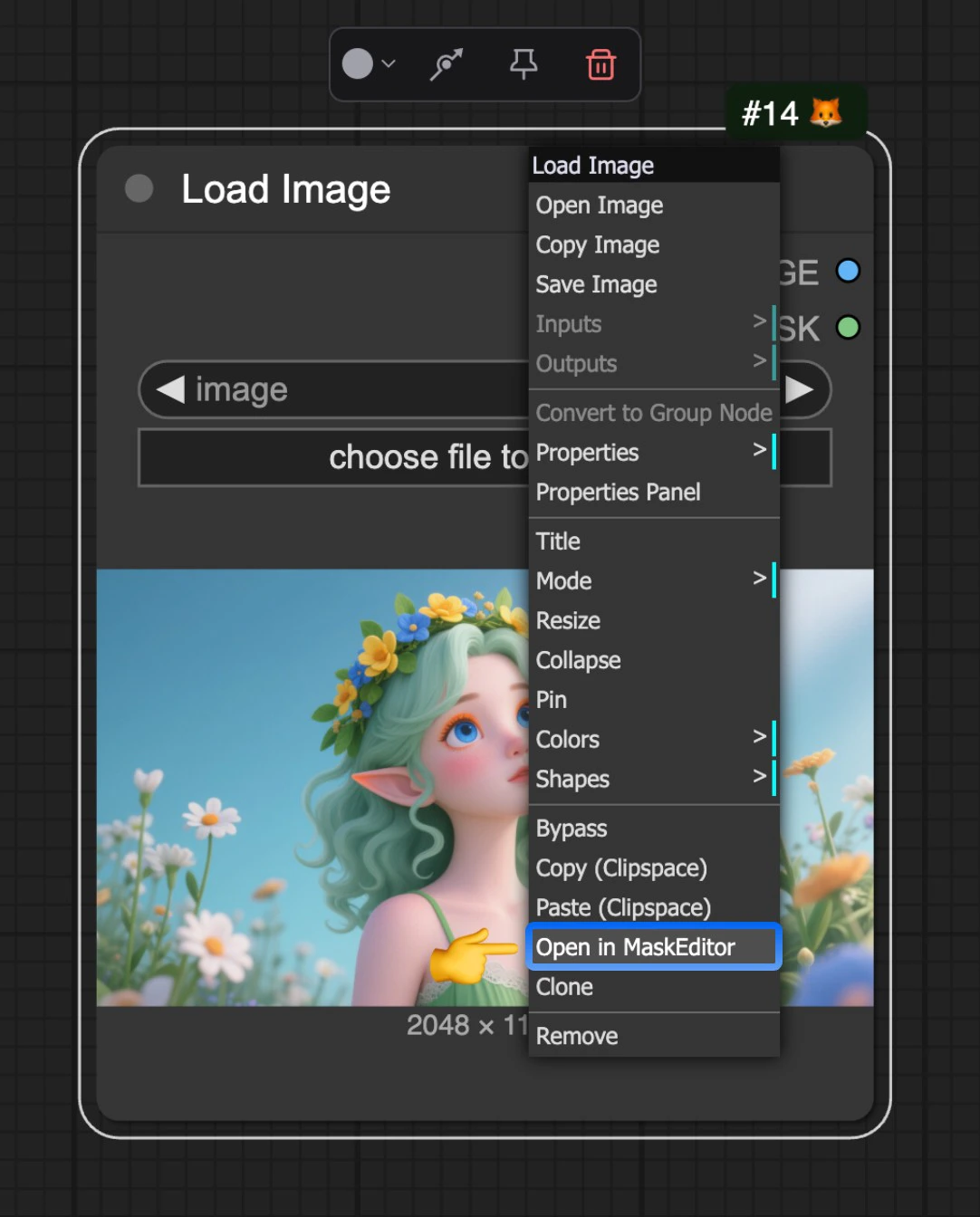
マスクエディターは、他のアプリケーションを使用せずに画像内でマスクを作成および編集できる、ComfyUI の非常に便利な機能です。

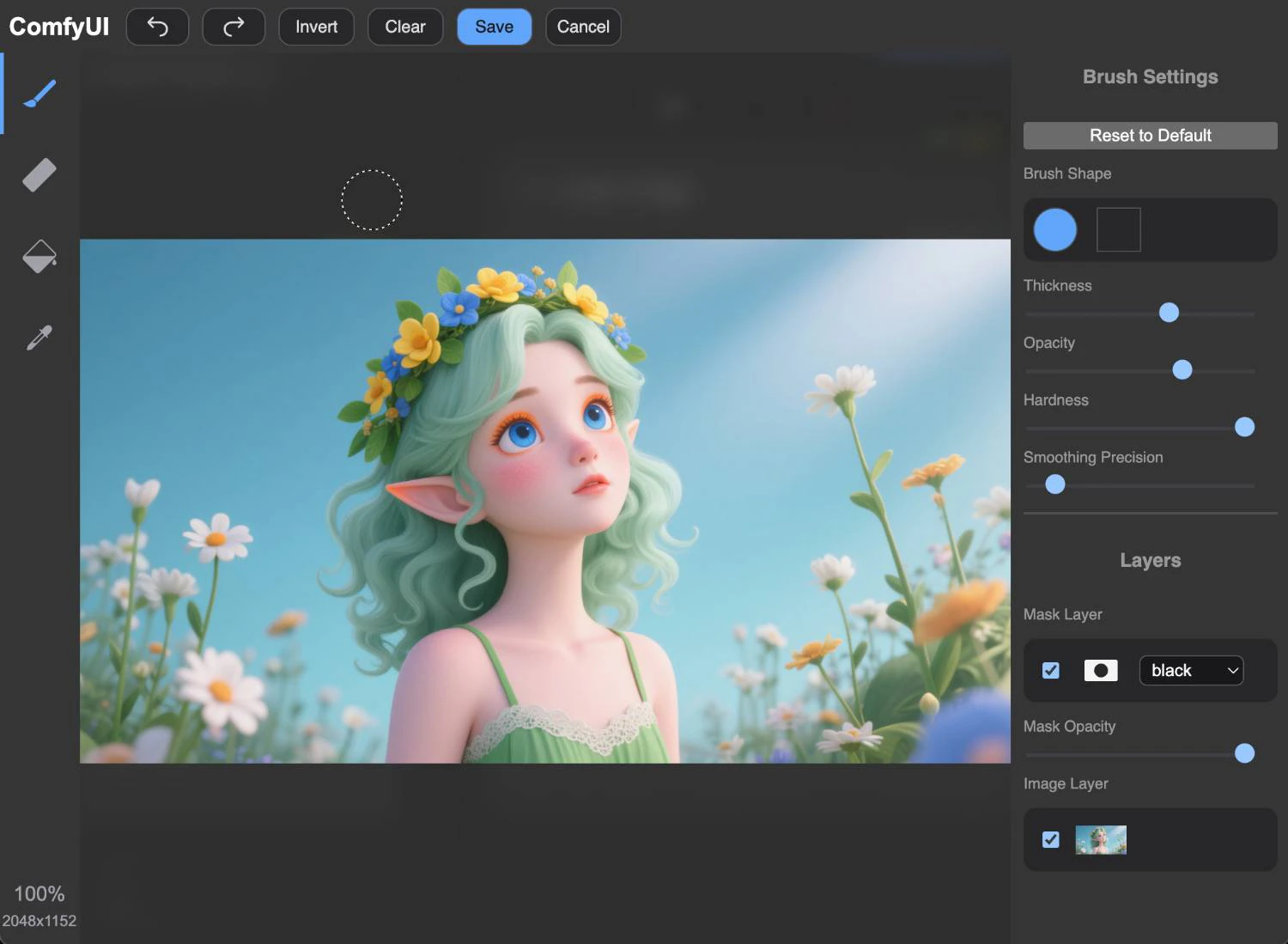
マスクエディターは現在、`Load Image` ノードを介して起動されます。画像をアップロードした後、ノードを右クリックし、メニューから `Open in MaskEditor` を選択してマスクエディターを開くことができます。

<img src="https://mintcdn.com/dripart-mintlify-preprocessors-1776336658/VWt7-2VAn50cCNDA/images/interface/maskeditor/maskeditor.jpg?fit=max&auto=format&n=VWt7-2VAn50cCNDA&q=85&s=a33c8baeba555d1a1966608f5a5b1f4c" alt="ComfyUI マスクエディター" width="1082" height="1344" data-path="images/interface/maskeditor/maskeditor.jpg" />

<img src="https://mintcdn.com/dripart-mintlify-preprocessors-1776336658/VWt7-2VAn50cCNDA/images/interface/maskeditor/maskeditor_ui.jpg?fit=max&auto=format&n=VWt7-2VAn50cCNDA&q=85&s=44a948f053b679cee486014778f0b99c" alt="ComfyUI マスクエディター" width="1500" height="1099" data-path="images/interface/maskeditor/maskeditor_ui.jpg" />

その後、マウスで画像上をクリックすることで、マスクの作成と編集が行えます。

## 動画チュートリアル
<video controls>
  <source src="https://mintcdn.com/dripart-mintlify-preprocessors-1776336658/VWt7-2VAn50cCNDA/images/interface/maskeditor/maskeditor.mp4?fit=max&auto=format&n=VWt7-2VAn50cCNDA&q=85&s=5246753e7a540864dbd13320a47bab70" type="video/mp4" data-path="images/interface/maskeditor/maskeditor.mp4" />

  お使いのブラウザは video タグをサポートしていません。
</video>